Every guest seen before they're let in: UniFi access control and intercom for a busy front entrance
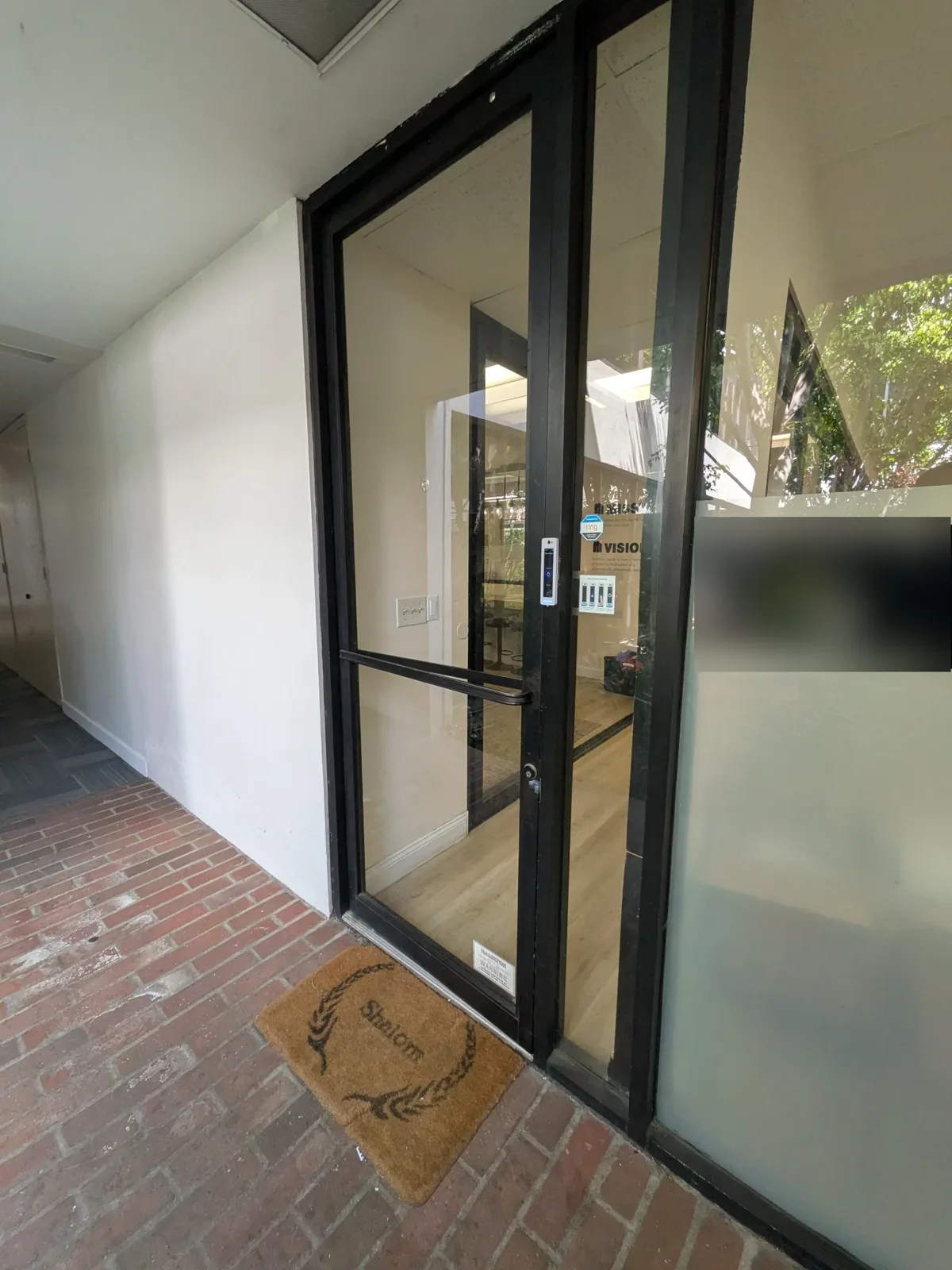
A client who serves a steady stream of guests wanted real control over who comes through their front door. They asked for one thing above all: the front desk should be able to see who is at the door and let them in. We installed a Ubiquiti UniFi access control and intercom system that does exactly that, and set it up so the client runs it themselves, day to day, with confidence.
The problem: a busy front door with no real control
When guests are arriving all day, the front door is the most important door in the building, and the hardest one to manage. The client needed a way to keep it secured while still welcoming the people who belong there.
Their request was simple and specific. The front desk should see who is at the door before anyone comes in, and decide for themselves whether to let that person in. Everyone who is supposed to have access should get in without friction, and everyone else should wait at the door until the desk says yes.
Why we chose Ubiquiti UniFi Access
We proposed a Ubiquiti access control system because it answered the client's request directly and was easy for their staff to use. The Access Reader G3 Pro at the door lets the front desk see who is there and let them in, and the Door Hub, maglock, push-to-exit button and door contacts handle the door itself.
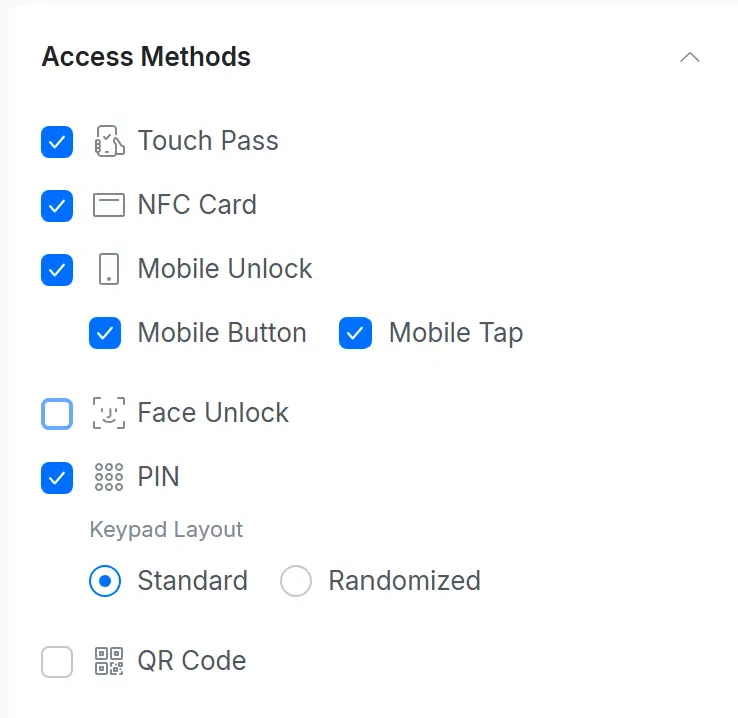
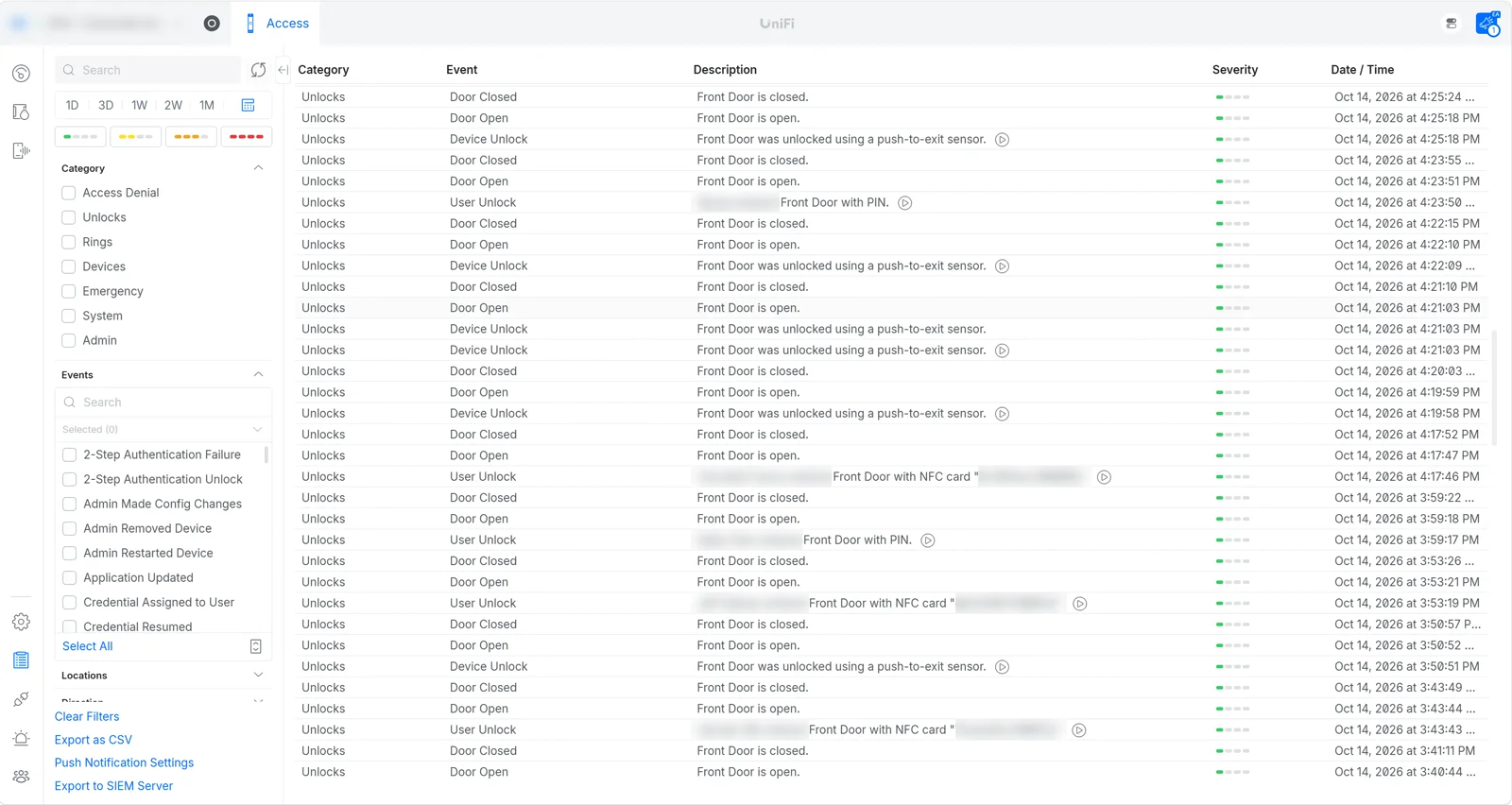
What we liked most about this install was how easy the user interface is for the customer. Unlocking the door, viewing the logs and making changes are all straightforward, so the people who run the front desk can manage the system without a manual in their hand. And it looks the part: Ubiquiti's hardware has a modern, sleek look that fits a front entrance where guests form their first impression.
Door status you can see at a glance
Physically, our favorite detail on this install is the LED lights on the push button and the maglock. They let anyone walking up to the door see its status, without pushing on a locked door and wondering why it won't open.
Watch the install, then the test
The installation: mounting the Access Reader G3 Pro, programming the system and checking the push-to-exit button.
The functional test: unlocking at the reader, opening the door, and the maglock and push button lights responding.
Programmed to your needs, and trained so you're in control
When we install and commission a system, we always program it to the customer's initial requirements. If they need 100 users added, we add 100 users. The system is ready to use the day we hand it over, set up the way the customer asked for it.
Then we make sure to train the customer on how to use it. Our goal is to keep our customers self-sufficient, so they don't have to call us every time they want to make a programming change. Adding someone new, removing someone who has left, unlocking the door or checking the logs is something they can handle on their own.
Of course, we would absolutely love to help whenever a customer needs us. But we want every customer to be confident making changes to their own system, because a system you understand is a system you'll actually use.
Want the same control over your front door?
If your business welcomes guests, customers or visitors, your front door shouldn't be a guessing game. AllTime Systems will design and install an access control and intercom system that lets your staff see who's at the door and let them in, programmed to your requirements from day one. We'll train your team so you stay in control, and we're a phone call away whenever you want us.