Welcome to the Billing Center
Manage your payments simply and securely with the option that works best for you: credit card, ACH, check, or Zelle. Reach out anytime if you need a hand.
Sign In to Customer PortalGo paperless
Sign up to receive invoices by email, or get access to our secure online portal. With portal access, you can:
- View and download invoices and statements
- Review your full payment history
- Make payments online anytime
To get started, fill out our contact form or email us directly at hello@alltime.systems with your name, account number, and how you'd like to receive your invoices.
Ways to pay
Set up a card payment quickly over the phone. A 3% processing fee applies to each card transaction and appears on your invoice.
Good news: the processing fee is waived when you enroll your card in AutoPay.
Avoid transaction fees entirely by paying straight from your bank account. Call or email us and we'll send a secure setup link and instructions.
Mail your payment to:
AllTime Systems
901 S Garfield Ave.
Alhambra, CA 91801
Please include your invoice or account number on the check.
Send payments directly through your bank's Zelle-enabled platform. Scan the QR code below in your banking app to pay us.
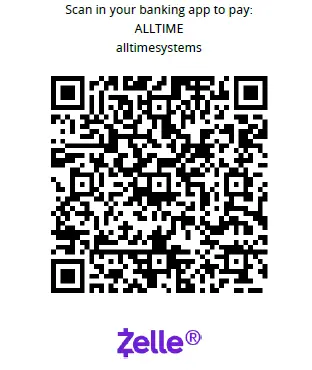
Some banks offer AutoPay or recurring Zelle payments, check with your bank for availability.
Always include your invoice or account number in the payment memo for proper credit.
Questions about your bill or setting up a payment method? Call (626) 300-0877 or contact us, we're happy to help.